Last updated 15 November 2026, 2:20 PM IST. This is a developing story based on the Microsoft Threat Intelligence warning on X (14 November 2026). Microsoft has not published victim numbers or confirmed stolen credentials.
The Microsoft 365 outage phishing scam uses the real outage to make fake emails look official. Microsoft Threat Intelligence says scammers are sending fake "service health" emails that quote the genuine incident ID and claim held messages will be deleted unless the recipient clicks. This article covers what the fake email looks like, the indicators Microsoft shared, and what to do if you already clicked.
TL;DR
- On 14 November 2026, Microsoft Threat Intelligence warned on X about an active phishing campaign exploiting the 12 November Microsoft 365 / Exchange Online disruption.
- The fake emails copy Microsoft 365 service health notices and cite the legitimate incident ID EX1550543, which makes them look official.
- Some claim emails were "held" during the outage and will be deleted within 24 hours unless you click to restore them.
- Subject lines follow the pattern "Outage - [six-character code]"; sender names end in "Outage Notification" or "Service Health".
- Microsoft says the activity is consistent with credential phishing but hasn't confirmed stolen passwords or malware. Don't click; report it; check outages only through official Microsoft pages.
What is the Microsoft 365 outage phishing scam?
On Thursday, 12 November 2026, Microsoft 365 had a major disruption centred on Exchange Online, with knock-on effects for Outlook, calendar features and some Teams tasks, according to Field Effect (we covered it in Microsoft outage: Outlook and Teams down).
Field Effect says outage-themed lures began circulating within hours, as users were already expecting recovery notices.
According to Microsoft Threat Intelligence, the phishing emails, which Cybersecurity News reports were detected on 13 November, impersonate Microsoft 365 service health notifications and reference the genuine Exchange Online incident EX1550543. Some "falsely claim that messages were held during the outage and will be deleted within 24 hours unless recipients click to restore them." Microsoft says similar messages targeted organisations across multiple US sectors.
Important: the outage itself was not a hack. Per reporting by Secritic, Microsoft said the disruption came from a technical issue linked to a network capacity upgrade and a later network change, with no indication of malicious activity. The phishing campaign exploits the outage; it did not cause it.
What the fake email looks like
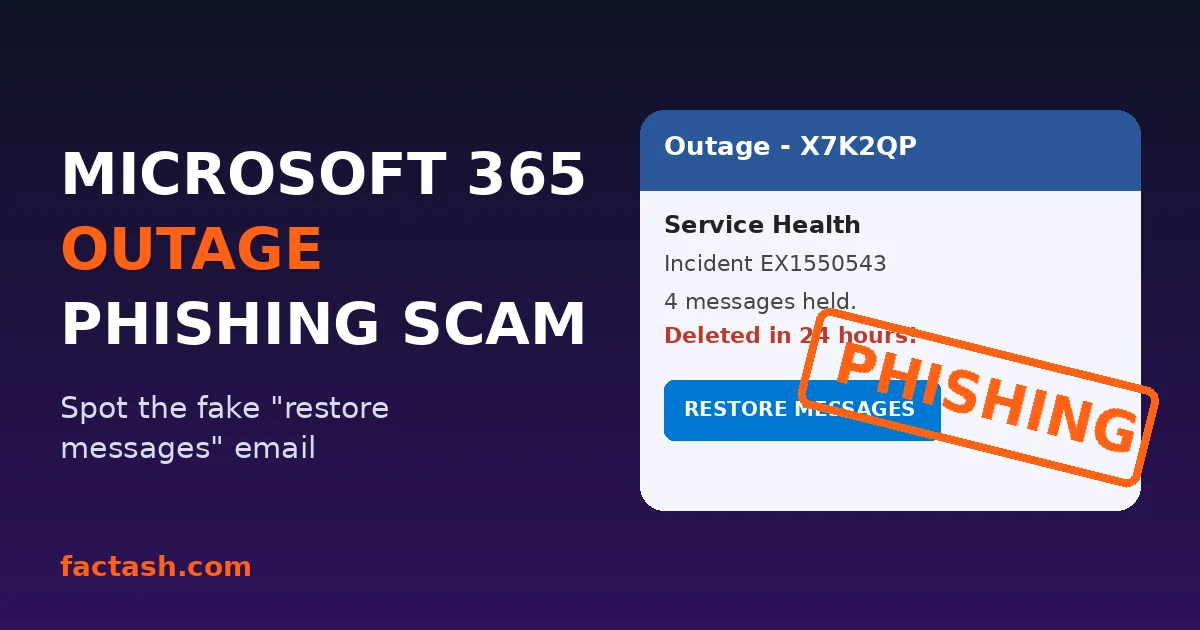
See a sample of the fake "Restore Messages" email in Microsoft Threat Intelligence's post on X and in Field Effect's analysis.
Security firm Field Effect detected one version on 13 November. Its analysis:
- The email claims four messages are held after the outage and threatens deletion within 24 hours.
- It copies the format of Microsoft quarantine digests (the real emails that list held messages and let you release them).
- It cites EX1550543, the real incident ID, to look legit.
- A big "RESTORE MESSAGES" button leads to a credential-harvesting page (a fake login page built to steal passwords).
- The same text was reported at other organisations, so it's a distributed campaign, not a one-off.
The red flags Microsoft shared
Microsoft shared these indicators, as reported by Cybersecurity News and Secritic. Do not visit these domains; use them only to recognise the scam:
| What to check | Scam pattern |
|---|---|
| Subject line | "Outage - " + a random six-character code |
| Sender display name | Your company's name/prefix + "Outage Notification" or "Service Health" |
| Sender domains | moments-notice[.]com, planetmaison[.]com, newbooker[.]com |
| Link behaviour | Recipient-specific SendGrid click-tracking link that redirects to reallifeaccounting[.]com (example path /themelist0.html) |
| The hook | "Your held emails will be deleted in 24 hours" |
A real incident number in an email does not prove it is genuine, because the ID is publicly reported. As Cybersecurity News put it, an email citing a genuine outage number is not proof that its recovery link is safe.
Why this scam works so well
- It's timely. People genuinely lost or missed emails this week, so "restore your messages" sounds helpful.
- It's urgent. A 24-hour deletion countdown is classic pressure to make you click before you think.
- It's personalised. The sender name uses your organisation's prefix, so it looks like it came from your own IT team.
- Microsoft is a common lure. Field Effect notes Microsoft was the most impersonated brand, at 33% of brand phishing attempts in Q3 2026.
Field Effect also warns the lure isn't only email. Scammers may call or message on Teams pretending to be tech support, ask you to "re-verify" your account or re-enrol MFA, or try to get you to approve a remote support session. The goal is the same: access to the account. (Similar tactics featured in the FBI FaceStealer fake Zoom and Teams call scam.)
How to check if a Microsoft 365 outage email is real
- Don't click buttons or links in any "outage", "held messages" or "restore email" message.
- Go to the source yourself. Admins can check the Service health page in the Microsoft 365 admin center. Everyone else: ask your IT team directly (Teams chat or a call you start, not a reply to the email).
- Remember real quarantine emails vary. Secritic notes Microsoft documents quarantine@messaging.microsoft.com as a possible default sender, but organisations can change the sender, logo and schedule. So the safest move is opening the quarantine portal or asking IT, not trusting a sender address.
- Never approve an MFA prompt you didn't start, and never read out a code to someone who called you.
Already clicked? Do this now
- Change your Microsoft 365 password right away through a trusted route (the official site or app, not the email link).
- Tell your IT/security team immediately. Field Effect says a password reset alone doesn't remove things an attacker may have set up, like inbox rules, mail forwarding, OAuth app consents or new MFA methods. IT needs to check and remove those and revoke active sessions.
- Check your mailbox rules and forwarding (in Outlook settings under Mail) for anything you didn't create.
- Watch for payment-change requests. Field Effect warns a hijacked mailbox can be used to redirect supplier invoices. Verify any bank detail change with a phone call to a known number.
- Upgrade your login. Phishing-resistant sign-ins like passkeys make stolen passwords much less useful.
How to report the Microsoft 365 phishing email
- In Outlook: select Report > Report phishing (if your organisation has it enabled), and follow your company's reporting process.
- UK: forward suspicious emails to the NCSC at report@phishing.gov.uk.
- US: you can report scams to the FTC at ReportFraud.ftc.gov.
What's still unknown
As of 15 November 2026, Microsoft has not said who is behind the campaign, how many emails went out, how many people clicked, or whether any passwords were actually stolen. It also hasn't confirmed UK organisations or personal Outlook.com users were targeted. Secritic notes the technique is still relevant to anyone using Microsoft services.
More scam guides on Factash
Related Factash guides:
- Fake FBI and FTC agent scam calls: how to spot them
- Black Friday scams 2026: fake online stores
- Expedia data breach 2026: what to do now
- Notion AI data breach explained
- More in Technology
FAQ
Is the Microsoft 365 outage email about deleted messages real?
No. Microsoft Threat Intelligence says emails claiming that messages held during the 12 November outage will be deleted within 24 hours unless you click to restore them are part of a phishing campaign. Don't click; report it.
What is Microsoft incident EX1550543?
EX1550543 is the genuine Exchange Online incident ID for the Microsoft 365 disruption on 12 November 2026. Scammers are copying it into fake emails to make them look official.
What are the signs of the Microsoft 365 outage phishing email?
Subjects like "Outage - [six-character code]", sender names ending in "Outage Notification" or "Service Health", sender domains moments-notice.com, planetmaison.com or newbooker.com, and links that redirect to reallifeaccounting.com.
Was the Microsoft 365 outage caused by hackers?
Microsoft said there was no indication the disruption was caused by malicious activity; Secritic reports Microsoft linked it to a technical network issue. The phishing campaign is exploiting the outage, not causing it.
Were passwords stolen in this campaign?
Microsoft describes the activity as consistent with credential phishing but says credential collection and malware delivery have not been confirmed. If you entered your password, change it and tell your IT team.
How do I report a Microsoft 365 phishing email?
Use Report > Report phishing in Outlook if available and follow your employer's process. In the UK forward it to report@phishing.gov.uk; in the US report it at ReportFraud.ftc.gov.
Main source: Microsoft Threat Intelligence (@MsftSecIntel) on X, 14 November 2026. Also referenced: Field Effect, Cybersecurity News, iTnews, Secritic and EconoTimes. Facts as reported up to 15 November 2026, 2:20 PM IST.
Image credits
- Featured graphic: original Factash design (details from Microsoft Threat Intelligence).