Last updated: 27 Nov 2026, 2:10 PM IST
Your to-do list app just got breached. Not the vibe for a holiday week. Here's the no-panic, no-jargon version of what went down.
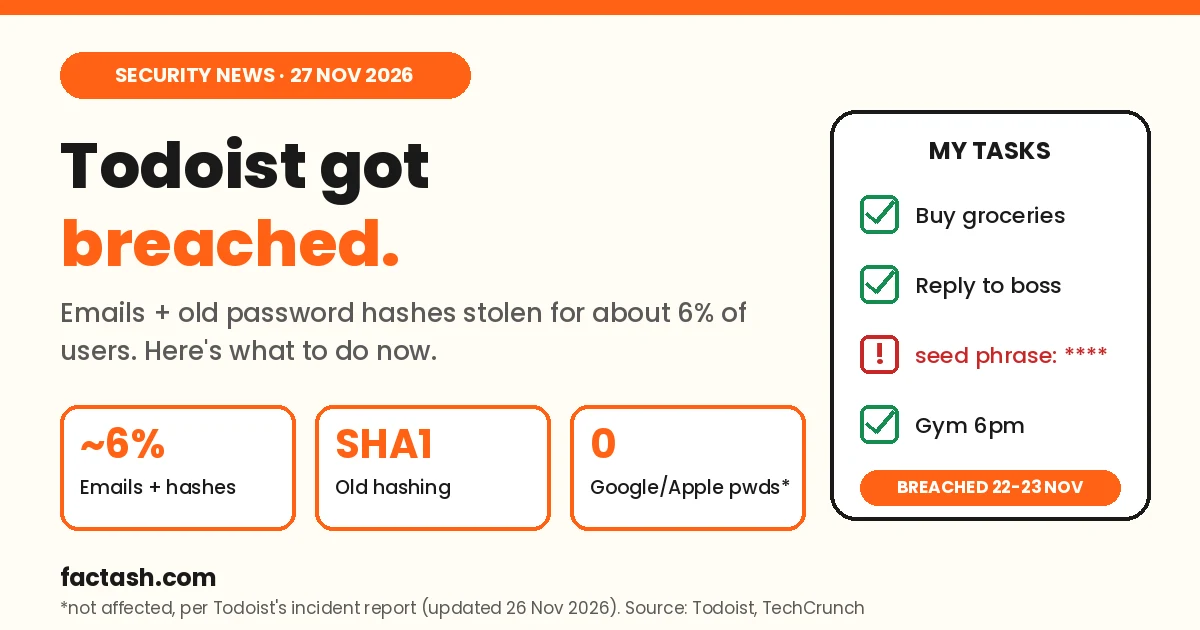
The Todoist data breach is real and Todoist has owned it. In an official security incident report, the company says an attacker broke into its production systems on 22–23 November 2026 and walked off with customer info: email addresses, old-style password hashes and account creation dates for about 6% of users, plus a much smaller set of API tokens, Slack tokens, Outlook email previews and task text that looked like passwords or crypto seed phrases. Todoist literally wrote "we fell short." So what leaked, are you affected, and what should you actually do? Let's go.
TL;DR
- What happened: A stolen credential for Todoist's code system let an attacker tamper with automated workflows, grab more credentials, take over an employee's work account and get into Todoist's cloud and production databases on 23 November (Todoist).
- Biggest group (~6% of users): emails, salted SHA1 password hashes (an old method) and account creation dates.
- Tiny groups (0.001–0.003%): API and Slack tokens, task/comment text matching "password", "seed phrase" and similar, and previews of emails in connected Todoist for Outlook mailboxes.
- Not affected: your Google or Apple account passwords, per Todoist. No changes to app code were found.
- What to do: if you got an email from no-reply@notify.todoist.com, follow it. Reused your Todoist password anywhere? Change it there too. No email = no action needed, says Todoist.
What happened in the Todoist hack? The 60-second version
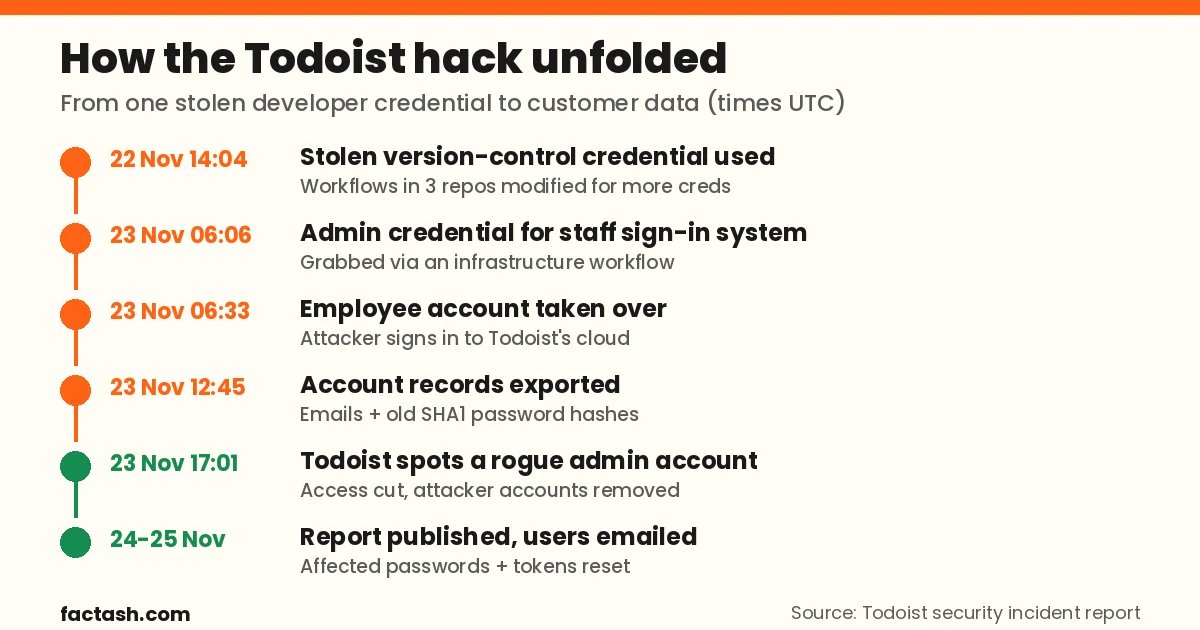
Here's the chain, straight from Todoist's own report (all times UTC):
- 22 Nov, 14:04: First use of a stolen credential tied to Todoist's version control system. The attacker modified automated workflows in three repositories to pull out more credentials. They could also read the source code, but Todoist found no changes to application code.
- 23 Nov, 06:06: Through an infrastructure automation workflow, the attacker got an admin credential for Todoist's employee sign-in system.
- 06:33–06:54: They changed an employee's login settings and signed in to Todoist's cloud as that employee. Then they created extra accounts to keep access.
- 12:45–12:51: They exported account records with emails and legacy password hashes.
- 13:05–17:12: Targeted hunts for account tokens, peeks into connected Outlook mailboxes and searches through Todoist content for credentials.
- 17:01: Todoist's security monitoring flagged an unexpected admin account. Within about 40 minutes the team had killed an attacker access key, removed attacker accounts and locked down remote commands.
Todoist published its report on 24 November and finished emailing affected customers on 25 November. On 26 November it also emailed people whose passwords were reset purely as a precaution; those accounts weren't compromised.
How did the attacker get that first credential? Nobody knows yet. Todoist says its "leading theory is that an employee's device may have been compromised," but that's unconfirmed. TechRadar reads that as likely infostealer malware. No group has claimed it, and no ransom demand has been reported.
What data was stolen in the Todoist data breach?
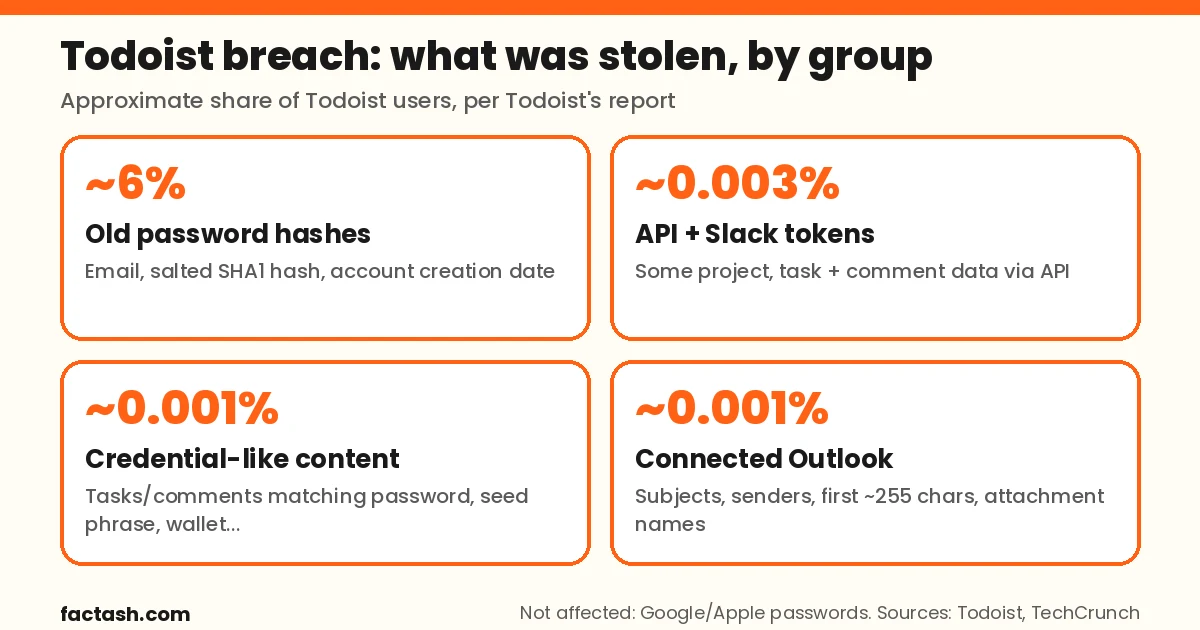
Todoist split affected accounts into four groups (approximate, with minimal overlap):
| Group | Share of users | What was exposed |
|---|---|---|
| Old password hashes | ~6% | Email address, salted SHA1 password hash, account creation date |
| API + Slack tokens | ~0.003% | Todoist API tokens and Slack integration tokens; for some, project, task and comment data pulled via the API |
| "Looks like a credential" content | ~0.001% | Task, comment, attachment-name and project text matching words like password, seed phrase, private key, wallet, metamask |
| Connected Outlook accounts | ~0.001% | Email subjects, senders, the first ~255 characters of messages and attachment names, via the Todoist for Outlook add-in |
Why the 6% group matters: a password hash isn't your actual password, it's a scrambled version. But salted SHA1 is old and fast, which makes it easier for attackers to guess weak passwords offline. Todoist admits those hashes only existed because some long-time users hadn't changed their password since it ditched SHA1 "over a decade ago," and says it should have retired it sooner. It has now. Todoist says it saw no sign the attacker signed in to those accounts.
Why the tiny groups are spicier: the attacker was clearly hunting for money and keys: crypto seed phrases, wallet names, exchange names like Coinbase and Binance, cloud keys (AWS, GitHub, Azure) and AI or payment keys (OpenAI, Stripe and more). If you've ever pasted a secret into a task, this is your sign.
Todoist also says the recorded commands show what the attacker asked for, not proof every search finished. To be safe, it's reporting everything.
Am I affected by the Todoist breach?
The quick test: check your inbox (and spam) for an email from no-reply@notify.todoist.com. Todoist says every affected customer got a personal email explaining exactly what was hit in their case.
- Got the email? Follow it. Your account has already been secured (password disabled, tokens revoked or sessions ended, depending on your case).
- No email? Todoist says "there is nothing you need to do."
- Sign in with Google or Apple? Your Google and Apple passwords are not affected. If your notice mentions a password hash, that's a separate Todoist password tied to your account. If Google sign-in stops working, reset your Todoist password with your account email, then sign in again.
- Use Twist (Doist's team chat app)? Todoist points Twist customers to a separate article in its help centre.
What to do right now: the Todoist breach checklist
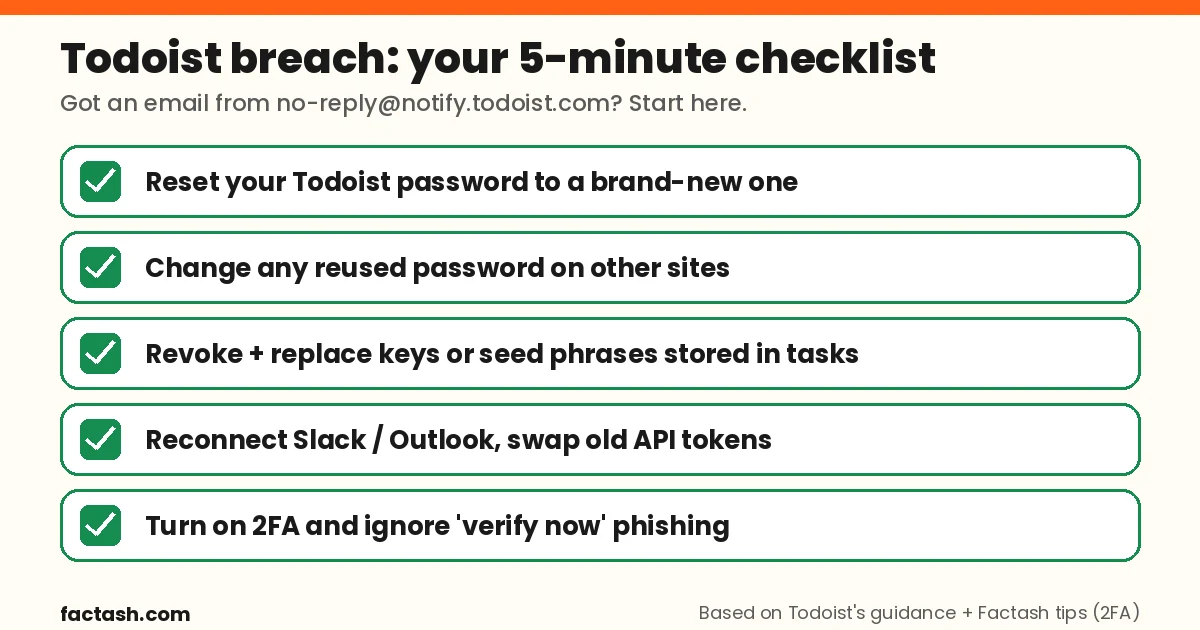
Based on Todoist's own "What should you do?" section, plus some Factash common sense:
- Reset your Todoist password if it was disabled. Pick a brand-new one. Don't reuse your old Todoist password or any password you use elsewhere.
- Reused that password anywhere? Change it on those sites too. This is how one breach turns into five.
- Stored secrets in Todoist? API keys, recovery phrases, Wi-Fi passwords, crypto seed phrases: revoke and replace them at the source. Todoist warns that deleting the task does not cancel a secret that may already have been copied. Crypto seed phrase exposed? Move funds to a new wallet with a fresh phrase.
- Shared "anyone with the link" files in tasks? Restrict those links or make new ones.
- Used a Todoist API token? Grab a new one (web: Settings → Integrations → Developer) and update your scripts.
- Slack or Outlook integration disconnected? Reconnect it. The new Outlook app may show as "unverified" while Microsoft verification finishes, and work or school accounts may block it for now.
- Turn on two-factor authentication and think about a password manager or passkeys so a leak like this can't snowball.
Watch out: Todoist breach phishing is coming
Leaked emails plus a famous breach = perfect phishing bait. Todoist says it will never ask you to send your password or install software because of this incident. Its real notices only come from no-reply@notify.todoist.com. Anything else saying "verify your Todoist account now" or "download our security tool"? Bin it, and go to Todoist directly through the app or a bookmark. US readers can report scam emails to the FTC at ReportFraud.ftc.gov; UK readers can forward them to the NCSC at report@phishing.gov.uk (NCSC guidance).
We broke down the same playbook in our Microsoft 365 phishing scam guide and the 1Password breach explainer.
The bigger pattern: dev credentials are the new front door
Todoist isn't alone. Just this week, 1Password said an attacker got in through an employee's GitHub account, and SAP confirmed attackers used stolen GitHub tokens to reach its source code (Infosec Federation daily brief). TechCrunch calls Todoist "the latest in a burgeoning list" of breaches where hackers use stolen credentials to get into company systems.
The lesson for regular users is simple: you can't control a company's GitHub, but you can control password reuse, 2FA and what you store in productivity apps. A to-do list is not a vault. Keep secrets in a real password manager.
What Todoist has changed since the hack
According to Todoist, it has:
- Removed attacker-created cloud accounts, revoked stolen credentials and stopped the attacker's running tasks.
- Restricted remote command execution in its cloud and reviewed changed authentication settings.
- Disabled affected passwords, revoked API tokens, disconnected OAuth apps and ended sessions for affected users.
- Retired the old SHA1 password hashing and rotated exposed internal credentials.
- Tightened permissions for developer automation and added an automated code-review check to flag changes that could leak credentials or private data.
- Set shorter lifetimes for access tokens.
Todoist CEO Amir Salihefendić also apologised publicly on X, TechCrunch reports.
How many people were affected?
Todoist hasn't given a raw number, only percentages. TechRadar points out that Todoist says it's trusted by more than 50 million people and teams, and estimates roughly three million could be at risk. That's TechRadar's own back-of-the-envelope maths, not an official Todoist figure, so treat it as a rough ballpark.
FAQ
What happened in the Todoist data breach?
Between 22 and 23 November 2026, an attacker used a stolen credential for Todoist's version control system to obtain more credentials, take over an employee's work account and access Todoist's cloud and production databases. Todoist disclosed the incident on 24 November 2026.
What data was stolen from Todoist?
For about 6% of users: email addresses, salted SHA1 password hashes and account creation dates. Much smaller groups had API and Slack tokens, task or comment text resembling credentials, or Outlook email previews exposed.
Do I need to change my Todoist password?
If Todoist emailed you, follow that email; affected passwords were disabled and must be reset to a brand-new password. If you reused your Todoist password on other sites, change it there too. Todoist says users who got no email need to do nothing.
Were my Google or Apple passwords leaked in the Todoist hack?
No. Todoist says Google and Apple account passwords were not affected. A password hash mentioned in your notice refers to a separate Todoist password linked to your account.
How do I know if a Todoist breach email is real?
Todoist says its incident notices come from no-reply@notify.todoist.com, and it will never ask you to send your password or install software. Open Todoist directly instead of clicking links in any message you are unsure about.
Is Todoist safe to use after the breach?
Todoist says it blocked the attacker's access, rotated credentials, retired the old SHA1 hashing and added new security checks. It is reasonable to keep using it with a unique password and 2FA, but do not store passwords, API keys or seed phrases in tasks.
Keep Reading on Factash
- 1Password breach: hacked via GitHub. Is 1Password safe?
- What are passkeys? Passwordless login explained
- Microsoft 365 outage phishing scam: spot the fake email
- Notion AI data breach: Fireworks hack exposed AI chats
- Black Friday scams 2026: how to spot AI fake online stores
- More Technology news
- More Cybersecurity news
- About Factash and Leo
Read the original disclosure: Security incident in November 2026 (Todoist Help Center, last updated 26 November 2026).
Source: main source is Todoist's official report, "Security incident in November 2026", first published 24 November 2026 and last updated 26 November 2026 (read on todoist.com). Also: TechCrunch (Ivan Mehta, 25 November 2026), TechRadar and the Infosec Federation daily brief (27 November 2026). This is a developing story; how the first credential was stolen and the exact number of affected users had not been disclosed as of 27 November 2026, 2:10 PM IST.
Image credits
- Featured graphic: Factash original graphic (facts from the Todoist security incident report).
- Todoist hack timeline: Factash original graphic (from the Todoist security incident report timeline, times in UTC).
- What was stolen, by group: Factash original graphic (from the Todoist security incident report and TechCrunch).
- What to do checklist: Factash original graphic (from Todoist's "What should you do?" guidance, plus Factash's general 2FA tip).